Key takeaways
- Live chat software enables real-time customer support through website chat widgets, improving response speed and customer satisfaction.
- Modern live chat systems combine human agents and AI automation to handle repetitive queries, qualify leads, and scale support efficiently.
- The best live chat software integrates with CRM, help desk tools, and messaging channels to create a unified customer service experience.
- Essential features include customizable chat widgets, proactive engagement triggers, omnichannel support, analytics, and strong data security.
- Choosing the right live chat solution depends on business size, scalability needs, integration capabilities, and long-term support goals.
Are you seeking the best live chat software to transform your customer support and engagement in 2026?
As the digital world evolves, instant communication is crucial for keeping customers happy and loyal.
Whether you're a small business or a large enterprise, finding the right live chat tool can make all the difference.
In this guide, we'll explain what it is, how it works, and the essential features to look for when choosing the best option for your website.
We'll present a quick comparison of the top live chat apps for customer support and weigh their pros and cons.
Additionally, we'll provide an in-depth review of the 20+ best live chat software available for 2026.
Finally, we'll help you decide which live chat software is the best fit for your business needs.
Ready to transform your customer interactions and boost satisfaction?
Let's dive in.
What is live chat software?
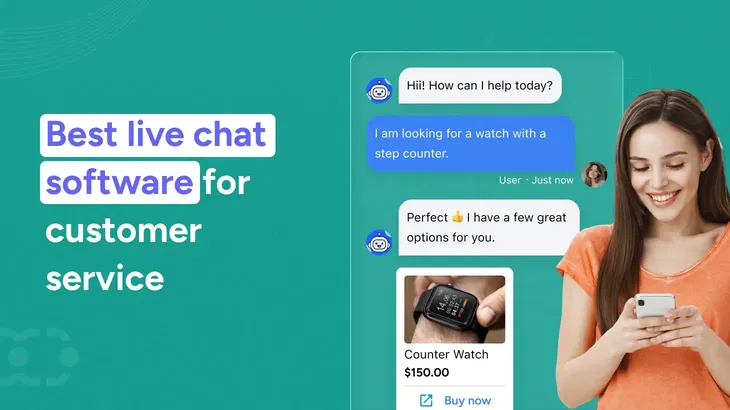
Live chat software is a real-time messaging tool that allows businesses to provide live chat support directly through their website chat, mobile app, or messaging channels like Facebook Messenger.
In simple terms:
Live chat software enables businesses to communicate with website visitors instantly through a chat widget embedded on their website or app.
Modern live chat systems go far beyond basic chat messages. They allow support agents to:
- Manage multiple chats simultaneously
- Access chat history and customer data
- Handle customer inquiries in real time
- Integrate with CRM and desk software
- Collect customer feedback and chat ratings
- Use AI features for automated responses
Today’s live chat customer support software helps customer support teams deliver a unified customer service experience across communication channels.
How does live chat software work?
Live chat software works by connecting website visitors with support agents or automated systems in real time through a chat widget installed on a website or mobile app.
Here’s a detailed breakdown of how live chat software for customer service operates:
1. Chat widget installation and setup
Every live chat solution begins with installing a chat widget on your website or app. This small piece of code enables website chat functionality and allows businesses to provide customer support instantly.
The chat interface can be customized based on branding preferences. Most live chat software providers offer customization options for colors, greetings, proactive chat invitations, and messaging tone. This ensures the right live chat software aligns with your brand voice and customer experience strategy.
2. Visitor engagement and proactive triggers
When a website visitor lands on your page, the live chat software monitors user behavior. Advanced live chat tools use predictive analytics and behavioral triggers to determine when to engage customers.
For example:
- A proactive chat invitation may appear if a visitor spends significant time on a pricing page.
- Automated messages may trigger when a customer revisits a product page.
- Existing customers may receive personalized greetings based on stored customer data especially when aligned with your defined ideal customer profile.
This proactive engagement enhances customer interactions and increases lead generation opportunities.
3. Real-time chat initiation
Once a visitor clicks the chat widget and sends a message, a chat session begins. The system checks agent availability and routes the chat message to the appropriate support agent or department.
Business live chat software allows support teams to handle multiple chats simultaneously. The chat software also shows a message sneak peek so agents can prepare responses before fully opening the chat interaction.
If no support agent is available, the system may:
- Send automated messages
- Collect customer inquiries for follow-up
- Redirect customers to a knowledge base
- Offer limited customer support options through AI features
4. AI-powered assistance and automation
Modern best live chat platforms integrate AI features to manage repetitive customer queries efficiently. Businesses increasingly rely on chatbot automation to reduce response time and handle high-volume interactions without increasing headcount.
AI-powered live chat customer support software can:
- Answer frequently asked questions
- Route complex customer requests to the right support team
- Provide instant support outside business hours
- Analyze chat conversations for trends
This automation improves customer satisfaction while reducing workload on support agents.
For many businesses, the best live chat solution combines human support with AI-powered automation to ensure excellent customer service at scale.
5. Omnichannel messaging integration
The best live chat software for business no longer operates in isolation. It integrates across communication channels and increasingly leverages omnichannel AI agents to manage conversations intelligently across platforms, including:
- Website chat
- Mobile app messaging
- Social media messaging
- Facebook Messenger
- Business text messaging
- Other messaging channels
This ensures customer conversations remain connected, regardless of where they begin, strengthening visibility across critical customer journey touchpoints.
Integration capabilities allow chat history, customer data, and previous chat interactions to sync with CRM or desk software systems.
The result is a seamless, unified customer service experience across all touchpoints.
6. Conversation management and collaboration
Support agents use a centralized dashboard to manage chat messages, monitor agent availability, and track multiple chats at once through unified conversations management.
Key features that improve workflow include:
- Chat ratings collection
- Internal notes for support agents
- Transfer of chat sessions between departments
- Escalation to voice calls when necessary
These live chat apps help support teams respond quickly while maintaining context across customer conversations.
7. Data storage, reporting, and optimization
Every chat interaction is stored within the live chat system. Businesses can review chat history to understand customer behavior and improve processes.
Advanced live chat software solutions provide:
- Performance analytics
- Predictive analytics
- Customer feedback tracking
- Conversion tracking
- Reporting dashboards
This data helps businesses identify what makes the best live chat software for their specific needs and optimize future customer interactions.
8. Security and scalability
The best live chat support software prioritizes data security and compliance. Secure data storage ensures sensitive customer data remains protected.
As businesses grow, live chat systems can scale from small teams using basic features or free live chat plans to enterprise plans with advanced features and dedicated support teams.
Scalable live chat software providers allow companies to expand customer support operations without disrupting service quality.
Ready to add intelligence to your live chat?
Check out how Skara AI agents handle repetitive queries, trigger proactive engagement, and scale customer support without increasing headcount.
Benefits of live chat software for customer support
Live chat software helps businesses provide instant support, improve customer interactions, and deliver a better customer experience across all communication channels.
Understanding the difference between customer service and customer experience is critical when designing your live chat strategy.
The best live chat apps do more than enable chat messages — it enhances efficiency, engagement, and customer satisfaction.
1. Faster customer support
Live chat allows support agents to respond to customer inquiries in real-time. Unlike email or traditional desk software, live chat systems reduce wait times and let agents manage multiple chats at once, improving overall efficiency.
2. Higher customer satisfaction
Instant responses through live chat support lead to better customer satisfaction. Access to chat history and customer data enables personalized customer service, making every customer interaction more meaningful.
3. Increased customer engagement and conversions
Business live chat software uses proactive chat invitations and automated messages to engage customers at the right moment. This improves lead generation and helps direct customers to the appropriate support team.
4. Unified communication across channels
Modern live chat solutions integrate with website chat, mobile apps, and social media platforms like Facebook Messenger. These integration capabilities ensure a unified customer service experience across all messaging channels.
5. Improved productivity for support teams
Live chat tools help customer support teams manage chat interactions efficiently through features like agent availability tracking and AI features for handling common customer queries. This reduces repetitive work and improves service quality.
6. Actionable insights and feedback
The best live chat software solutions provide analytics, customer feedback tracking, and chat ratings. These insights help businesses optimize their customer support strategy and enhance customer engagement.
Interesting read: 20 Benefits of live chat software for customer service.
Key features to look for in live chat software
When evaluating the best live chat software, focus on features that improve customer interactions, increase customer satisfaction, and help customer support teams work efficiently.
The right live chat software should balance essential features with advanced capabilities.
1. Customizable chat widget and user interface
A flexible chat widget is a core feature of any business live chat software. It should integrate easily with your website chat or mobile app and offer customization options to match your brand.
A clean chat interface ensures smooth chat interactions for both website visitors and support agents.
2. Real-time messaging and multiple chats handling
Live chat systems must provide instant support and allow support agents to manage multiple chats at once.
This improves response time and prevents limited customer support during high-traffic periods.
3. AI features and automated messages
Modern live chat customer support software includes AI features that handle common customer queries automatically.
Automated messages, proactive chat invitations, and smart routing help enhance customer engagement while reducing workload.
4. Integration capabilities across communication channels
The best live chat platforms integrate with CRM, desk software, knowledge base tools, and social media messaging channels like Facebook Messenger.
These CRM live chat integration capabilities create a unified customer service experience across all communication channels.
5. Access to customer data and chat history
Access to customer data and chat history allows support agents to provide personalized customer service. This strengthens relationships with existing customers and improves overall customer experience.
6. Analytics, customer feedback, and reporting
Top live chat solutions provide analytics, chat ratings, and customer feedback tracking.
These insights help businesses measure performance, understand customer behavior, and optimize their live chat support strategy.
7. Scalability and data security
Live chat software providers should offer scalable plans, from free live chat options for small businesses to enterprise plan solutions with advanced features.
Strong data security is essential to protect sensitive customer data.
What makes the best live chat software?
The best live chat software for business is not just feature-rich; it's also user-friendly. It aligns with your goals and improves customer interactions without adding complexity.
The top live chat software stands out by offering:
- Scalability from small teams to enterprise plans
- Customization options for chat widget and workflows
- Seamless integration capabilities with CRM and desk software
- AI features for automation and faster customer support
- Strong data security and reliability
- Responsive customer service from live chat software providers
- A unified dashboard for chat messages, voice calls, and messaging channels
The right live chat solution strikes a balance between essential and advanced features, enabling businesses to deliver excellent customer service without overwhelming their support teams.
Upgrade the way you handle customer conversations
Check out how Salesmate helps you engage website visitors instantly, automate responses with AI, and manage every conversation inside one CRM.
Top 10 live chat software comparison chart
| Software | Best for | Standout feature | Pricing |
| Salesmate | Sales, marketing & customer support | Infinitely flexible, so you can make it your own.
| Starts at $23/month |
| LiveChat | Overall functionality | Intuitive interface | Starts at $20/month |
| Intercom | Customer engagement | Automated messaging | Starts at $39/month |
| REVE Chat | Multi-Channel Support | Video and voice chat | Starts at $ 45/month |
| ProProfs Chat | Knowledge integration | Knowledge base integration | Starts at $ 99/month |
| Chanty | Team collaboration | Built-in task management | Depends on the features you take |
| LiveAgent | Comprehensive features | Ticketing system | Starts at $9/agent/month |
| Zendesk | Enterprise solutions | Extensive customization | Starts at $19/month |
| Hiver | Email-Based Support | Gmail integration | Starts at $15/user/month |
| Tidio | Small Businesses | Chatbots and automation | Starts at $29/user/month |
This table provides:
- A quick overview of the best live chat software for customer support.
- Highlighting their best uses.
- Standout features.
- Pricing to help you make an informed decision.
20+ Best live chat software for 2026
Here is a comprehensive list of the best live chat software for 2026, designed to enhance customer satisfaction and streamline your customer support operations.
These live chat service providers offer a range of features to meet the diverse needs of businesses, from small startups to large enterprises.
1. Salesmate
Salesmate combines live chat software with a comprehensive CRM platform and advanced AI support, enabling businesses to manage customer interactions more effectively.
At the heart of Salesmate’s live chat offering is Skara — the built-in AI agent. Skara assists support teams by automating responses to common questions, qualifying leads in real time, and helping route conversations to the right human agent when needed.
This reduces response times, improves accuracy, and enhances customer satisfaction across every chat session.
The live chat widget is fully customizable to match your brand and works seamlessly across web and mobile.
All chat conversations, whether handled by Skara AI or a support rep, are logged directly into the CRM and can automatically move into your sales pipeline management workflow.
This gives teams full visibility into customer journeys, enabling smarter follow-ups and better context for each interaction.
Salesmate’s unified inbox lets sales and support teams collaborate without switching tools. With proactive chat invitations, automated messages, and deep analytics, it helps teams boost engagement, convert website visitors into leads, and improve overall customer experience.
Key features
- Fully customizable chat widget
- Skara AI agents for automated replies and lead qualification
- Unified inbox for managing multiple chats
- CRM-linked chat history and customer data
- Proactive chat invitations and automated triggers
- Smart chat routing and agent availability controls
- Mobile app support and integrations with messaging channels
Pricing
- Basic: $23/user/month
- Pro: $39/user/month
- Business: $63/user/month
- Enterprise: Custom pricing
Stop missing opportunities in your chat inbox
Check out how Salesmate’s unified live chat and AI automation help you respond instantly and convert smarter.
2. LiveChat
LiveChat is one of the top live chat software options, recognized for its robust live chat customer support capabilities.
It helps support agents manage multiple chat sessions efficiently while maintaining excellent customer service standards.
LiveChat offers advanced features such as message sneak peek, predictive analytics, and performance tracking. It is widely recognized as one of the best live chat support software for businesses scaling their operations.
Key features
- AI co-pilot assistance
- Message sneak peek during chat interactions
- Ticket forms for offline customer requests
- Agent performance monitoring
- Advanced customization options
Pricing
- Starter: $20/month/agent
- Team: $41/month/agent
- Business: $59/month/agent
- Enterprise: Custom pricing
3. Intercom
Intercom combines live chat support, automation, and product messaging into one unified communication platform.
It enables businesses to manage customer conversations across messaging channels, including website chat and social media messaging, from a single interface. This helps create a unified customer service experience without switching tools.
Key features
- Use chatbots to qualify leads efficiently.
- Automated answers for frequently asked questions.
- Targeted messages and tours to acquaint customers with your company.
- Customizable tool to fit company requirements.
Pricing
- Essential: $39/month
- Advanced: $99/month
- Expert: $139/month
4. REVE Chat
REVE Chat is designed to help businesses engage customers through live chat, chatbots, and video chat support.
It connects website visitors in real time while also enabling automated messages that respond instantly to customer inquiries. This balance between automation and human support improves response speed without overwhelming the support team.
The platform provides detailed analytics, allowing businesses to monitor chat interactions, customer engagement, and performance trends.
Key features
- Engage visitors across web, mobile, and desktop.
- Integrate live chat with AI-powered chatbots.
- Provide instant support and convert prospects into leads.
- Access detailed insights to optimize support strategies.
- Enhance efficiency with message sneak-peek.
Pricing
- Custom pricing based on requirements
5. ProProfs Chat
ProProfs Chat is a lightweight live chat software built for small businesses that want lead capture and customer engagement without complexity.
It enables teams to manage chat messages, automate greetings, and respond to customer requests from a centralized dashboard. The platform offers a completely free plan, making it accessible for startups and growing teams.
With automation features and customizable chat widgets, ProProfs Chat helps businesses engage customers while maintaining full chat history for context.
Key features
- Update visitors on upcoming events and deals
- Automate requests with a chatbot
- Send targeted messages with chat greetings
- Route chats to the right department
- Capture leads with pre-chat forms and offline messages
Pricing
- Forever Free: $0
- Essentials: $10/user/month
- Premium: $15/user/month
6. Chanty
Chanty is a robust webchat software that facilitates team collaboration and effective customer interactions.
It offers features that allow for accessible communication and task management.
Thus, it makes a valuable chat support software for businesses looking to enhance their internal collaboration and customer engagement.
With Chanty, teams can leverage live chat software solutions to streamline workflows and improve productivity.
This is one of the best live chat support tools. It enables real-time communication, and its task management capabilities help keep projects on track.
Additionally, Chanty integrates seamlessly with other tools, making it a comprehensive live chat application for businesses.
Key features
- Unlimited messaging forever.
- Audio and video calls for team communication.
- Kanban board for task management.
- Pin essential messages for easy access.
- A centralized hub for organizing messages and tasks.
Pricing
- Free: Forever free plan
- Business: $3/user/month
7. LiveAgent
LiveAgent combines live chat, help desk software, and ticket management into one centralized customer support system.
It allows businesses to manage customer conversations across multiple communication channels while automatically converting chat interactions into tickets for structured follow-up. This ensures no customer requests slip through the cracks.
The platform is well-suited for teams that need both real-time live chat support and deeper issue tracking within the same interface.
Key features
- Automatic ticket creation from chat sessions
- Universal inbox for email, chat, and messaging channels
- Real-time visitor monitoring
- Advanced reporting and time tracking
- Internal collaboration for support agents
Pricing
- Small: $9/agent
- Medium: $29/agent
- Large: $49/agent
- Enterprise: $69/agent
8. Zendesk
Zendesk offers a structured customer service platform that includes website chat, ticketing, and workflow automation.
It allows support teams to manage customer interactions across email, social media platforms, and live chat from a single dashboard. Its automation and routing features help assign customer inquiries based on agent availability and expertise.
Zendesk is particularly useful for organizations that need advanced analytics, data security controls, and scalable desk solutions.
Key features
- Funnel conversations from multiple channels.
- Automated triggers for targeted customer outreach.
- Chat routing is used to assign conversations to the right rep.
- Chat analytics to track performance.
- Pre-chat and offline forms for continuous engagement.
Pricing
- Suite Team: US$ 55 per agent/month
- Suite Growth: US$ 89 per agent/month
- Suite Professional: US$ 115 per agent/month
- Suite Enterprise: Not disclose
9. Hiver
Hiver is a help desk solution built directly inside Gmail, allowing teams to manage email and live chat support without switching platforms.
It centralizes customer support within Google Workspace, making it ideal for businesses already operating heavily inside Gmail. Customer conversations, chat history, and ticket assignments are managed from one familiar interface.
This setup reduces tool overload and simplifies collaboration for small teams.
Key features
- Manage email and chat queries from Gmail.
- Assign website chat queries with a single click.
- Use custom-built chat templates for recurring issues.
- Mobile app for accessing live chat.
Pricing
- Lite: $19/month/user (Up to 10 users)
- Growth: $29 per user per month
- Pro: $49per user per month
- Elite: Customize
10. Tidio
Tidio blends live chat, automation, and chatbot workflows into a single platform designed for e-commerce and service businesses.
It helps businesses engage website visitors instantly while using automated messages to handle repetitive customer queries. The platform supports multiple chats simultaneously and offers integrations with popular tools and messaging channels.
Its clean user interface makes setup straightforward, even for small businesses.
Key features
- Real-time chat interface
- Automated chat triggers
- Multilingual chat setup
- Centralized inbox for customer conversations
- Integration capabilities with e-commerce platforms
Pricing
- Starter: 29 USD/month
- Growth: 59 USD/month
- Plus: 749 USD/month
- Premium: 2999 USD/month
11. SnapEngage
SnapEngage is a business live chat software designed to deliver omnichannel customer interactions through a customizable chat widget.
It allows businesses to manage chat interactions across website chat and social media messaging while maintaining a customizable chat widget aligned with brand identity.
The platform also emphasizes performance tracking and lead management for growing support teams.
Key features
- Chatbots for quick visitor connection.
- Dynamic automation for lead and contact management.
- Mobile-optimized chat window.
- Customizable design for branding.
- Analytics and reports for performance tracking.
Pricing
- Chat Support: $29 /agent/month
- Essential: $35 /agent/month
- Professional support: $49 /agent/month
- Enterprise customer support suite: Customize
12. Pure Chat
Pure Chat provides a straightforward live chat experience with unlimited chat sessions and operators.
It is designed for businesses that want a lightweight chat solution focused on real-time engagement without complex setup. The platform also supports visitor tracking and pre-chat forms for better lead capture.
Its simplicity makes it easy for support agents to manage chat messages efficiently.
Key features
- Unlimited chats and operators
- Automated chatbot for task scheduling and lead qualification
- Customizable dashboard and widget
- Pre-chat forms and automatic chat alerts
- Visitor information and location tracking
Pricing
- Growth: $39/mo
- Pro: $79/mo
13. Userlike
Userlike offers structured customer communication with department-based routing and proactive engagement tools.
Website visitors can choose the department they want to connect with, improving how customer inquiries are distributed. The system also stores detailed customer data, helping support agents personalize chat sessions effectively.
It works well for businesses that value context-rich customer conversations.
Key features
- Proactive chat invitations
- Smart customer profiles with customer data
- Department-based chat routing
- Screen sharing for instant support
- Integration capabilities with CRM tools
Pricing
- Free: 0$ / month
- Teams: 90$ / month
- Corporate: 290$ / month
- Flex: Customized
14. Zoho Desk
Zoho Desk integrates live chat software with multichannel ticketing and automation workflows.
It allows businesses to manage customer support requests from website chat, email, and social media messaging within one structured system. Context from previous chat interactions is visible to support agents, improving resolution speed and service consistency.
Its automation and analytics tools help teams measure performance and refine their support processes.
Key features
- Customizable web-form widget
- Real-time interaction for personalized support
- Multi-channel ticketing system
- Contextual information from previous tickets
- Performance tracking and analysis
Pricing
- Free plan: Free for 3 agents
- Standard: ₹800/user/month billed annually
- Professional: ₹1400/user/month billed annually
- Enterprise: ₹2400/user/month billed annually
15. Crisp Chat
Crisp Chat is a customer messaging platform designed to combine real-time live chat, automation, and customer engagement tools in one shared inbox.
It enables teams to manage live chat conversations, co-browsing sessions, and automated messages while maintaining full chat history for context.
Crisp is particularly useful for SaaS and e-commerce brands that want to blend support and marketing communication.
Key features
- Enhanced experience with video, audio, and GIFs
- Engaging waiting time features
- Automated messaging for common queries
- Integration with CRM for automation
- Co-browsing for real-time assistance
Pricing
- Basic: Free for 2 seats
- Essentials: $95/month/website (4 seats)
- Plus: $295/month/website (unlimited seats)
16. Chaport
Chaport helps businesses provide live chat support with minimal setup and a clean user interface. It supports proactive chat invitations and allows website visitors to send customer requests even when agents are offline.
The platform focuses on simplicity while still offering automation and messaging channel integrations. It works well for small teams that need an affordable chat app with scalable features.
Key features
- Easy access to visitor information
- Chat assignment and group chat options
- Multilingual chat widget
- Unified communication channel
- Integration with preferred apps
Pricing
- Free plan: Free for 2 operators
- Pro: $29/mo (4 operator)
- Unlimited: $99/mo (Unlimited operator)
17. Olark
Olark focuses on personalized customer service by giving support agents access to real-time visitor insights and user behavior tracking.
It helps teams manage chat sessions with contextual customer data, improving how customer conversations are handled. Olark is particularly helpful for businesses that want detailed reporting and customization options without heavy complexity.
Key features
- Pre-chat surveys and custom forms for lead qualification
- Personalized conversation through visitor information
- Co-browsing for real-time assistance
- Performance monitoring and chat distribution
- Automated messaging and contact information gathering
- CRM integration for enhanced experience
Pricing
- Starts at $19/agent/month
- Pro: Not disclose
18. ClickDesk
ClickDesk combines live chat, voice calls, and video chat into one unified platform. This makes it useful for businesses that want to provide instant support through multiple communication channels.
With mobile app access and social media messaging integration, support agents can respond to chat interactions from anywhere while maintaining a consistent customer experience.
Key features
- Mobile app support for remote assistance
- Real-time chat, voice, and video options
- Personalized greetings for rapport-building
- Social media platform integration
- Performance reports and statistics
Pricing
- Free plan: Free for 10 users
- Lite: $14.99/month
- Pro: $24.99/month
- Enterprise: $39.99/month
19. Drift
Drift is built around conversational marketing and AI-driven customer engagement. It helps sales and support teams qualify leads automatically and direct customers to the right representative.
Its conversational AI and predictive analytics features are especially helpful for B2B companies focused on lead generation and faster response times
Key features
- Conversational AI for faster communication
- Personalized messaging for important clients
- Centralized data hub for customer insights
- Lead routing to appropriate sales reps
Pricing
- Custom pricing based on requirements
20. Brevo
Brevo or Sendinblue simplifies communication and marketing with real-time live chat software and personalized visitor experiences.
This live chat software for websites integrates seamlessly with various marketing tools, making it a comprehensive solution for customer engagement.
It allows businesses to send targeted messages, manage customer interactions effectively, and enhance customer journeys.
With Brevo, you can streamline your online chat services and improve customer satisfaction through efficient and personalized support.
Key features
- Targeted and personalized visitor experience
- Strong customer relationship building
- Automatic marketing message segmentation
- Real-time activity statistics
Pricing
- Free plan: ₹0/month
- Starter: Starting from $9/month
- Business: Starting from $18/month
- Enterprise: Custom pricing
21. Podium
Podium is a conversation-driven tool designed to boost customer experience by connecting with visitors across multiple platforms.
This is one of the best live chat software that enables seamless conversation management from a single interface, significantly enhancing support efficiency.
With Podium, businesses can maintain consistent and engaging customer interactions, making it an essential tool for improving overall customer satisfaction.
Key features
- Customizable widgets to match website standards
- Seamless conversation with live chat window
- Google Analytics tracking for insights
- Conversation routing from one place to another
- Automated responses for common questions
Pricing
- Core: $399 per month
- Pro: $599 per month
- Signature: Custom pricing
22. Smartsupp
Smartsupp offers unique customer support with omnichannel engagement and built-in video recording features.
This live chat software provides valuable insights into visitor behavior, helping businesses improve customer interactions.
With Smartsupp, you can automate personalized messages and track customer actions.
Hence, it enhances the efficiency of your customer support team.
It also seamlessly integrates with popular eCommerce platforms, making it ideal for businesses looking to boost engagement and conversions.
Key features
- Automated personalized messages
- Excellent integrations for seamless support
- Built-in video recording for action tracking
- Chatbots for timely customer engagement
- Google Analytics integration for insights
Pricing
- Free plan: $0 (14 days available)
- Premium: $12.5 per month/billed annually
- Ultimate: $239 per month/billed annually
23. JivoChat
JivoChat provides a seamless platform for communication with features like chat logs and multiple visitor interactions.
This live chat software allows businesses to connect with customers through various communication channels, improving team productivity.
JivoChat is compatible with social media platforms and enables real-time customer engagement.
Additionally, its customizable live chat widget ensures a consistent brand experience.
Key features
- Communication across various channels
- Compatible with social media platforms
- Automated message triggers
- Performance analysis reports
- Customizable live chat in multiple languages
Pricing
- Basic: $0
- Professional: $19 Per agent per month if billed annually
- Enterprise: $38 Per agent per month if billed annually
Pros and cons of the best live chat software
The best live chat software can transform how businesses manage customer interactions; however, it is essential to understand both the advantages and limitations before selecting the right live chat software for your specific needs.
Below is a clear breakdown of the pros and cons of leading live chat software solutions in 2026.
Pros
- Provides instant support and faster customer interactions
- Allows support agents to manage multiple chats simultaneously
- Improves customer satisfaction through real-time chat conversations
- Enables personalized customer service using customer data and chat history
- Enhances customer engagement with proactive chat invitations and automated messages
- Integrates with CRM, desk software, knowledge base, and social media messaging channels like Facebook Messenger
- Centralizes communication channels for a unified customer service experience
- Includes AI features to automate common customer queries
- Offers analytics, chat ratings, and customer feedback tracking
- Scales from free live chat plans for small businesses to enterprise plan solutions
Cons
- Free plan options often include only basic features
- Advanced features and integration capabilities may require higher pricing tiers
- Requires proper agent availability to avoid limited customer support
- Overreliance on automation may affect complex customer conversations
- Implementing and integrating with existing live chat systems can require significant setup effort.
How to choose the best live chat software for your website?
Choosing the best live chat software for your website requires more than comparing features. The right live chat software should align with your business goals, improve customer interactions, and support your customer support teams efficiently.
If you are wondering which live chat software is best for your website, follow these practical steps.
1. Define your customer support needs
Start by identifying your support volume, team size, and customer expectations. Small businesses and small teams may need basic features and a free live chat plan, while larger organizations may require enterprise plan options with advanced features.
Determine whether you need simple website chat or a full live chat customer support software solution that includes AI features, automation, and predictive analytics.
2. Evaluate core and advanced features
The best live chat software for website use should include essential features such as:
- Customizable chat widget
- Real-time chat interface
- Agent availability tracking
- Multiple chats handling
- Chat history access
Advanced features like automated messages, proactive chat invitations, integration capabilities, and social media messaging support should also be considered if you want to enhance customer engagement and improve customer satisfaction.
Focus on what truly supports your workflow instead of selecting the platform with all the features you may never use.
3. Check integration capabilities
Top live chat platforms should integrate seamlessly with your CRM, desk software, knowledge base, and other messaging channels such as Facebook Messenger.
Strong integration capabilities ensure a unified customer service experience across website chat, mobile app, and social media platforms. This allows support agents to access customer data and previous customer conversations without switching systems.
4. Consider user experience and customization
A clean chat interface and flexible customization options are essential. The chat widget should match your brand and provide a smooth experience for website visitors.
The right live chat software should enhance customer experience, not interrupt it.
5. Assess scalability and pricing
Live chat software providers offer various pricing tiers, from free plan options with basic features to enterprise plan packages with advanced features.
Choose a solution that scales as your business grows. The best live chat software for business should support increasing customer inquiries without performance issues.
6. Review analytics and reporting tools
Analytics are critical for optimizing customer interactions. The best live chat software solutions provide performance reports, chat ratings, and customer feedback tracking.
These insights help you understand user behavior, improve service quality, and refine your customer support strategy.
7. Ensure data security and reliability
Data security should never be overlooked. The best live chat support software must protect sensitive customer data and maintain reliable uptime.
Security and reliability are essential for delivering excellent customer service consistently.
Ready to choose a live chat that actually fits your business?
Check out a platform designed to handle real conversations, real customers, and real business goals.
Conclusion
Live chat software has become essential for delivering fast, efficient, and personalized customer support. The best live chat software improves customer interactions, enhances customer satisfaction, and centralizes communication across website chat, mobile app, and social media messaging channels.
When deciding which live chat software is best for your business, focus on essential features, integration capabilities, scalability, and data security.
The right live chat solution should support your customer support teams, streamline customer inquiries, and create a unified customer service experience.
Choose a platform that aligns with your goals, and your live chat support will become a powerful driver of customer engagement and long-term growth.
Frequently asked questions
1. What are the benefits of live chat software?
Live chat software helps businesses provide instant support to website visitors in real-time.
Main benefits include:
- Faster response to customer queries
- Higher customer satisfaction
- Increased lead generation and conversions
- Ability to handle multiple chats at once
- Better use of customer data for personalized service
- Improved customer engagement across communication channels
It reduces wait times and improves overall customer experience.
2. What’s the difference between live chat and help desk software?
Live chat software enables real-time customer conversations through a chat widget on your website. While, help desk software manages customer requests through ticketing systems for structured issue resolution.
In simple terms:
- Live chat = Instant interaction
- Help desk = Ticket tracking and workflow management
3. What’s the difference between live chat and chatbots?
Live chat involves human support agents responding to customers in real time. Chatbots use automated messages and AI features to answer common questions without human involvement.
4. What types of companies need live chat software?
Any company that interacts with customers online benefits from live chat software.
This includes:
- E-commerce businesses
- SaaS companies
- Service providers
- Agencies
- Enterprises managing high-volume customer interactions
Live chat is especially useful for businesses that want to provide instant support and improve customer engagement.
What are the different types of live chat software?
There are five main types of live chat software:
- Basic live chat tools (real-time chat only)
- Live chat with help desk integration
- AI-powered live chat software with chatbots
- Omnichannel live chat platforms
- Enterprise live chat systems with advanced features
The right type depends on your team size, support volume, and customer service goals.
What are some effective live chat tips?
Effective live chat tips include using proactive chat invitations, responding within seconds, personalizing conversations with customer data, combining AI automation with human support, and tracking chat performance metrics.








Key takeaways
Are you seeking the best live chat software to transform your customer support and engagement in 2026?
As the digital world evolves, instant communication is crucial for keeping customers happy and loyal.
Whether you're a small business or a large enterprise, finding the right live chat tool can make all the difference.
In this guide, we'll explain what it is, how it works, and the essential features to look for when choosing the best option for your website.
We'll present a quick comparison of the top live chat apps for customer support and weigh their pros and cons.
Additionally, we'll provide an in-depth review of the 20+ best live chat software available for 2026.
Finally, we'll help you decide which live chat software is the best fit for your business needs.
Ready to transform your customer interactions and boost satisfaction?
Let's dive in.
What is live chat software?
Live chat software is a real-time messaging tool that allows businesses to provide live chat support directly through their website chat, mobile app, or messaging channels like Facebook Messenger.
In simple terms:
Live chat software enables businesses to communicate with website visitors instantly through a chat widget embedded on their website or app.
Modern live chat systems go far beyond basic chat messages. They allow support agents to:
Today’s live chat customer support software helps customer support teams deliver a unified customer service experience across communication channels.
How does live chat software work?
Live chat software works by connecting website visitors with support agents or automated systems in real time through a chat widget installed on a website or mobile app.
Here’s a detailed breakdown of how live chat software for customer service operates:
1. Chat widget installation and setup
Every live chat solution begins with installing a chat widget on your website or app. This small piece of code enables website chat functionality and allows businesses to provide customer support instantly.
The chat interface can be customized based on branding preferences. Most live chat software providers offer customization options for colors, greetings, proactive chat invitations, and messaging tone. This ensures the right live chat software aligns with your brand voice and customer experience strategy.
2. Visitor engagement and proactive triggers
When a website visitor lands on your page, the live chat software monitors user behavior. Advanced live chat tools use predictive analytics and behavioral triggers to determine when to engage customers.
For example:
This proactive engagement enhances customer interactions and increases lead generation opportunities.
3. Real-time chat initiation
Once a visitor clicks the chat widget and sends a message, a chat session begins. The system checks agent availability and routes the chat message to the appropriate support agent or department.
Business live chat software allows support teams to handle multiple chats simultaneously. The chat software also shows a message sneak peek so agents can prepare responses before fully opening the chat interaction.
If no support agent is available, the system may:
4. AI-powered assistance and automation
Modern best live chat platforms integrate AI features to manage repetitive customer queries efficiently. Businesses increasingly rely on chatbot automation to reduce response time and handle high-volume interactions without increasing headcount.
AI-powered live chat customer support software can:
This automation improves customer satisfaction while reducing workload on support agents.
For many businesses, the best live chat solution combines human support with AI-powered automation to ensure excellent customer service at scale.
5. Omnichannel messaging integration
The best live chat software for business no longer operates in isolation. It integrates across communication channels and increasingly leverages omnichannel AI agents to manage conversations intelligently across platforms, including:
This ensures customer conversations remain connected, regardless of where they begin, strengthening visibility across critical customer journey touchpoints.
Integration capabilities allow chat history, customer data, and previous chat interactions to sync with CRM or desk software systems.
The result is a seamless, unified customer service experience across all touchpoints.
6. Conversation management and collaboration
Support agents use a centralized dashboard to manage chat messages, monitor agent availability, and track multiple chats at once through unified conversations management.
Key features that improve workflow include:
These live chat apps help support teams respond quickly while maintaining context across customer conversations.
7. Data storage, reporting, and optimization
Every chat interaction is stored within the live chat system. Businesses can review chat history to understand customer behavior and improve processes.
Advanced live chat software solutions provide:
This data helps businesses identify what makes the best live chat software for their specific needs and optimize future customer interactions.
8. Security and scalability
The best live chat support software prioritizes data security and compliance. Secure data storage ensures sensitive customer data remains protected.
As businesses grow, live chat systems can scale from small teams using basic features or free live chat plans to enterprise plans with advanced features and dedicated support teams.
Scalable live chat software providers allow companies to expand customer support operations without disrupting service quality.
Ready to add intelligence to your live chat?
Check out how Skara AI agents handle repetitive queries, trigger proactive engagement, and scale customer support without increasing headcount.
Benefits of live chat software for customer support
Live chat software helps businesses provide instant support, improve customer interactions, and deliver a better customer experience across all communication channels.
Understanding the difference between customer service and customer experience is critical when designing your live chat strategy.
The best live chat apps do more than enable chat messages — it enhances efficiency, engagement, and customer satisfaction.
1. Faster customer support
Live chat allows support agents to respond to customer inquiries in real-time. Unlike email or traditional desk software, live chat systems reduce wait times and let agents manage multiple chats at once, improving overall efficiency.
2. Higher customer satisfaction
Instant responses through live chat support lead to better customer satisfaction. Access to chat history and customer data enables personalized customer service, making every customer interaction more meaningful.
3. Increased customer engagement and conversions
Business live chat software uses proactive chat invitations and automated messages to engage customers at the right moment. This improves lead generation and helps direct customers to the appropriate support team.
4. Unified communication across channels
Modern live chat solutions integrate with website chat, mobile apps, and social media platforms like Facebook Messenger. These integration capabilities ensure a unified customer service experience across all messaging channels.
5. Improved productivity for support teams
Live chat tools help customer support teams manage chat interactions efficiently through features like agent availability tracking and AI features for handling common customer queries. This reduces repetitive work and improves service quality.
6. Actionable insights and feedback
The best live chat software solutions provide analytics, customer feedback tracking, and chat ratings. These insights help businesses optimize their customer support strategy and enhance customer engagement.
Key features to look for in live chat software
When evaluating the best live chat software, focus on features that improve customer interactions, increase customer satisfaction, and help customer support teams work efficiently.
The right live chat software should balance essential features with advanced capabilities.
1. Customizable chat widget and user interface
A flexible chat widget is a core feature of any business live chat software. It should integrate easily with your website chat or mobile app and offer customization options to match your brand.
A clean chat interface ensures smooth chat interactions for both website visitors and support agents.
2. Real-time messaging and multiple chats handling
Live chat systems must provide instant support and allow support agents to manage multiple chats at once.
This improves response time and prevents limited customer support during high-traffic periods.
3. AI features and automated messages
Modern live chat customer support software includes AI features that handle common customer queries automatically.
Automated messages, proactive chat invitations, and smart routing help enhance customer engagement while reducing workload.
4. Integration capabilities across communication channels
The best live chat platforms integrate with CRM, desk software, knowledge base tools, and social media messaging channels like Facebook Messenger.
These CRM live chat integration capabilities create a unified customer service experience across all communication channels.
5. Access to customer data and chat history
Access to customer data and chat history allows support agents to provide personalized customer service. This strengthens relationships with existing customers and improves overall customer experience.
6. Analytics, customer feedback, and reporting
Top live chat solutions provide analytics, chat ratings, and customer feedback tracking.
These insights help businesses measure performance, understand customer behavior, and optimize their live chat support strategy.
7. Scalability and data security
Live chat software providers should offer scalable plans, from free live chat options for small businesses to enterprise plan solutions with advanced features.
Strong data security is essential to protect sensitive customer data.
What makes the best live chat software?
The best live chat software for business is not just feature-rich; it's also user-friendly. It aligns with your goals and improves customer interactions without adding complexity.
The top live chat software stands out by offering:
The right live chat solution strikes a balance between essential and advanced features, enabling businesses to deliver excellent customer service without overwhelming their support teams.
Upgrade the way you handle customer conversations
Check out how Salesmate helps you engage website visitors instantly, automate responses with AI, and manage every conversation inside one CRM.
Top 10 live chat software comparison chart
Infinitely flexible, so you can make it your own.
This table provides:
20+ Best live chat software for 2026
Here is a comprehensive list of the best live chat software for 2026, designed to enhance customer satisfaction and streamline your customer support operations.
These live chat service providers offer a range of features to meet the diverse needs of businesses, from small startups to large enterprises.
1. Salesmate
Salesmate combines live chat software with a comprehensive CRM platform and advanced AI support, enabling businesses to manage customer interactions more effectively.
At the heart of Salesmate’s live chat offering is Skara — the built-in AI agent. Skara assists support teams by automating responses to common questions, qualifying leads in real time, and helping route conversations to the right human agent when needed.
This reduces response times, improves accuracy, and enhances customer satisfaction across every chat session.
The live chat widget is fully customizable to match your brand and works seamlessly across web and mobile.
All chat conversations, whether handled by Skara AI or a support rep, are logged directly into the CRM and can automatically move into your sales pipeline management workflow.
This gives teams full visibility into customer journeys, enabling smarter follow-ups and better context for each interaction.
Salesmate’s unified inbox lets sales and support teams collaborate without switching tools. With proactive chat invitations, automated messages, and deep analytics, it helps teams boost engagement, convert website visitors into leads, and improve overall customer experience.
Key features
Pricing
Stop missing opportunities in your chat inbox
Check out how Salesmate’s unified live chat and AI automation help you respond instantly and convert smarter.
2. LiveChat
LiveChat is one of the top live chat software options, recognized for its robust live chat customer support capabilities.
It helps support agents manage multiple chat sessions efficiently while maintaining excellent customer service standards.
LiveChat offers advanced features such as message sneak peek, predictive analytics, and performance tracking. It is widely recognized as one of the best live chat support software for businesses scaling their operations.
Key features
Pricing
3. Intercom
Intercom combines live chat support, automation, and product messaging into one unified communication platform.
It enables businesses to manage customer conversations across messaging channels, including website chat and social media messaging, from a single interface. This helps create a unified customer service experience without switching tools.
Key features
Pricing
4. REVE Chat
REVE Chat is designed to help businesses engage customers through live chat, chatbots, and video chat support.
It connects website visitors in real time while also enabling automated messages that respond instantly to customer inquiries. This balance between automation and human support improves response speed without overwhelming the support team.
The platform provides detailed analytics, allowing businesses to monitor chat interactions, customer engagement, and performance trends.
Key features
Pricing
5. ProProfs Chat
ProProfs Chat is a lightweight live chat software built for small businesses that want lead capture and customer engagement without complexity.
It enables teams to manage chat messages, automate greetings, and respond to customer requests from a centralized dashboard. The platform offers a completely free plan, making it accessible for startups and growing teams.
With automation features and customizable chat widgets, ProProfs Chat helps businesses engage customers while maintaining full chat history for context.
Key features
Pricing
6. Chanty
Chanty is a robust webchat software that facilitates team collaboration and effective customer interactions.
It offers features that allow for accessible communication and task management.
Thus, it makes a valuable chat support software for businesses looking to enhance their internal collaboration and customer engagement.
With Chanty, teams can leverage live chat software solutions to streamline workflows and improve productivity.
This is one of the best live chat support tools. It enables real-time communication, and its task management capabilities help keep projects on track.
Additionally, Chanty integrates seamlessly with other tools, making it a comprehensive live chat application for businesses.
Key features
Pricing
7. LiveAgent
LiveAgent combines live chat, help desk software, and ticket management into one centralized customer support system.
It allows businesses to manage customer conversations across multiple communication channels while automatically converting chat interactions into tickets for structured follow-up. This ensures no customer requests slip through the cracks.
The platform is well-suited for teams that need both real-time live chat support and deeper issue tracking within the same interface.
Key features
Pricing
8. Zendesk
Zendesk offers a structured customer service platform that includes website chat, ticketing, and workflow automation.
It allows support teams to manage customer interactions across email, social media platforms, and live chat from a single dashboard. Its automation and routing features help assign customer inquiries based on agent availability and expertise.
Zendesk is particularly useful for organizations that need advanced analytics, data security controls, and scalable desk solutions.
Key features
Pricing
9. Hiver
Hiver is a help desk solution built directly inside Gmail, allowing teams to manage email and live chat support without switching platforms.
It centralizes customer support within Google Workspace, making it ideal for businesses already operating heavily inside Gmail. Customer conversations, chat history, and ticket assignments are managed from one familiar interface.
This setup reduces tool overload and simplifies collaboration for small teams.
Key features
Pricing
10. Tidio
Tidio blends live chat, automation, and chatbot workflows into a single platform designed for e-commerce and service businesses.
It helps businesses engage website visitors instantly while using automated messages to handle repetitive customer queries. The platform supports multiple chats simultaneously and offers integrations with popular tools and messaging channels.
Its clean user interface makes setup straightforward, even for small businesses.
Key features
Pricing
11. SnapEngage
SnapEngage is a business live chat software designed to deliver omnichannel customer interactions through a customizable chat widget.
It allows businesses to manage chat interactions across website chat and social media messaging while maintaining a customizable chat widget aligned with brand identity.
The platform also emphasizes performance tracking and lead management for growing support teams.
Key features
Pricing
12. Pure Chat
Pure Chat provides a straightforward live chat experience with unlimited chat sessions and operators.
It is designed for businesses that want a lightweight chat solution focused on real-time engagement without complex setup. The platform also supports visitor tracking and pre-chat forms for better lead capture.
Its simplicity makes it easy for support agents to manage chat messages efficiently.
Key features
Pricing
13. Userlike
Userlike offers structured customer communication with department-based routing and proactive engagement tools.
Website visitors can choose the department they want to connect with, improving how customer inquiries are distributed. The system also stores detailed customer data, helping support agents personalize chat sessions effectively.
It works well for businesses that value context-rich customer conversations.
Key features
Pricing
14. Zoho Desk
Zoho Desk integrates live chat software with multichannel ticketing and automation workflows.
It allows businesses to manage customer support requests from website chat, email, and social media messaging within one structured system. Context from previous chat interactions is visible to support agents, improving resolution speed and service consistency.
Its automation and analytics tools help teams measure performance and refine their support processes.
Key features
Pricing
15. Crisp Chat
Crisp Chat is a customer messaging platform designed to combine real-time live chat, automation, and customer engagement tools in one shared inbox.
It enables teams to manage live chat conversations, co-browsing sessions, and automated messages while maintaining full chat history for context.
Crisp is particularly useful for SaaS and e-commerce brands that want to blend support and marketing communication.
Key features
Pricing
16. Chaport
Chaport helps businesses provide live chat support with minimal setup and a clean user interface. It supports proactive chat invitations and allows website visitors to send customer requests even when agents are offline.
The platform focuses on simplicity while still offering automation and messaging channel integrations. It works well for small teams that need an affordable chat app with scalable features.
Key features
Pricing
17. Olark
Olark focuses on personalized customer service by giving support agents access to real-time visitor insights and user behavior tracking.
It helps teams manage chat sessions with contextual customer data, improving how customer conversations are handled. Olark is particularly helpful for businesses that want detailed reporting and customization options without heavy complexity.
Key features
Pricing
18. ClickDesk
ClickDesk combines live chat, voice calls, and video chat into one unified platform. This makes it useful for businesses that want to provide instant support through multiple communication channels.
With mobile app access and social media messaging integration, support agents can respond to chat interactions from anywhere while maintaining a consistent customer experience.
Key features
Pricing
19. Drift
Drift is built around conversational marketing and AI-driven customer engagement. It helps sales and support teams qualify leads automatically and direct customers to the right representative.
Its conversational AI and predictive analytics features are especially helpful for B2B companies focused on lead generation and faster response times
Key features
Pricing
20. Brevo
Brevo or Sendinblue simplifies communication and marketing with real-time live chat software and personalized visitor experiences.
This live chat software for websites integrates seamlessly with various marketing tools, making it a comprehensive solution for customer engagement.
It allows businesses to send targeted messages, manage customer interactions effectively, and enhance customer journeys.
With Brevo, you can streamline your online chat services and improve customer satisfaction through efficient and personalized support.
Key features
Pricing
21. Podium
Podium is a conversation-driven tool designed to boost customer experience by connecting with visitors across multiple platforms.
This is one of the best live chat software that enables seamless conversation management from a single interface, significantly enhancing support efficiency.
With Podium, businesses can maintain consistent and engaging customer interactions, making it an essential tool for improving overall customer satisfaction.
Key features
Pricing
22. Smartsupp
Smartsupp offers unique customer support with omnichannel engagement and built-in video recording features.
This live chat software provides valuable insights into visitor behavior, helping businesses improve customer interactions.
With Smartsupp, you can automate personalized messages and track customer actions.
Hence, it enhances the efficiency of your customer support team.
It also seamlessly integrates with popular eCommerce platforms, making it ideal for businesses looking to boost engagement and conversions.
Key features
Pricing
23. JivoChat
JivoChat provides a seamless platform for communication with features like chat logs and multiple visitor interactions.
This live chat software allows businesses to connect with customers through various communication channels, improving team productivity.
JivoChat is compatible with social media platforms and enables real-time customer engagement.
Additionally, its customizable live chat widget ensures a consistent brand experience.
Key features
Pricing
Pros and cons of the best live chat software
The best live chat software can transform how businesses manage customer interactions; however, it is essential to understand both the advantages and limitations before selecting the right live chat software for your specific needs.
Below is a clear breakdown of the pros and cons of leading live chat software solutions in 2026.
Pros
Cons
How to choose the best live chat software for your website?
Choosing the best live chat software for your website requires more than comparing features. The right live chat software should align with your business goals, improve customer interactions, and support your customer support teams efficiently.
If you are wondering which live chat software is best for your website, follow these practical steps.
1. Define your customer support needs
Start by identifying your support volume, team size, and customer expectations. Small businesses and small teams may need basic features and a free live chat plan, while larger organizations may require enterprise plan options with advanced features.
Determine whether you need simple website chat or a full live chat customer support software solution that includes AI features, automation, and predictive analytics.
2. Evaluate core and advanced features
The best live chat software for website use should include essential features such as:
Advanced features like automated messages, proactive chat invitations, integration capabilities, and social media messaging support should also be considered if you want to enhance customer engagement and improve customer satisfaction.
Focus on what truly supports your workflow instead of selecting the platform with all the features you may never use.
3. Check integration capabilities
Top live chat platforms should integrate seamlessly with your CRM, desk software, knowledge base, and other messaging channels such as Facebook Messenger.
Strong integration capabilities ensure a unified customer service experience across website chat, mobile app, and social media platforms. This allows support agents to access customer data and previous customer conversations without switching systems.
4. Consider user experience and customization
A clean chat interface and flexible customization options are essential. The chat widget should match your brand and provide a smooth experience for website visitors.
The right live chat software should enhance customer experience, not interrupt it.
5. Assess scalability and pricing
Live chat software providers offer various pricing tiers, from free plan options with basic features to enterprise plan packages with advanced features.
Choose a solution that scales as your business grows. The best live chat software for business should support increasing customer inquiries without performance issues.
6. Review analytics and reporting tools
Analytics are critical for optimizing customer interactions. The best live chat software solutions provide performance reports, chat ratings, and customer feedback tracking.
These insights help you understand user behavior, improve service quality, and refine your customer support strategy.
7. Ensure data security and reliability
Data security should never be overlooked. The best live chat support software must protect sensitive customer data and maintain reliable uptime.
Security and reliability are essential for delivering excellent customer service consistently.
Ready to choose a live chat that actually fits your business?
Check out a platform designed to handle real conversations, real customers, and real business goals.
Conclusion
Live chat software has become essential for delivering fast, efficient, and personalized customer support. The best live chat software improves customer interactions, enhances customer satisfaction, and centralizes communication across website chat, mobile app, and social media messaging channels.
When deciding which live chat software is best for your business, focus on essential features, integration capabilities, scalability, and data security.
The right live chat solution should support your customer support teams, streamline customer inquiries, and create a unified customer service experience.
Choose a platform that aligns with your goals, and your live chat support will become a powerful driver of customer engagement and long-term growth.
Frequently asked questions
1. What are the benefits of live chat software?
Live chat software helps businesses provide instant support to website visitors in real-time.
Main benefits include:
It reduces wait times and improves overall customer experience.
2. What’s the difference between live chat and help desk software?
Live chat software enables real-time customer conversations through a chat widget on your website. While, help desk software manages customer requests through ticketing systems for structured issue resolution.
In simple terms:
3. What’s the difference between live chat and chatbots?
Live chat involves human support agents responding to customers in real time. Chatbots use automated messages and AI features to answer common questions without human involvement.
4. What types of companies need live chat software?
Any company that interacts with customers online benefits from live chat software.
This includes:
Live chat is especially useful for businesses that want to provide instant support and improve customer engagement.
What are the different types of live chat software?
There are five main types of live chat software:
The right type depends on your team size, support volume, and customer service goals.
What are some effective live chat tips?
Effective live chat tips include using proactive chat invitations, responding within seconds, personalizing conversations with customer data, combining AI automation with human support, and tracking chat performance metrics.
Hinal Tanna
SEO SpecialistHinal Tanna is a SEO strategist and content marketer, currently working with the marketing team of Salesmate. She has a knack for curating content that follows SEO practices and helps businesses create an impactful brand presence. When she's not working, Hinal likes to spend her time exploring new places.