Most enterprise CRM guides focus on features. But enterprise CRM failures rarely happen because of missing features.
They happen because systems cannot handle complexity, data is fragmented, and teams cannot execute consistently.
According to Grand View Research, nearly 80% of enterprise companies rely on CRM for sales reporting and process automation, yet many still struggle to translate insights into action.
A true enterprise CRM is not just a system of record. It is a system of execution that connects data, workflows, supports enterprise workflow automation, and customer-facing operations in real time.
This guide breaks down:
- What enterprise CRM actually means
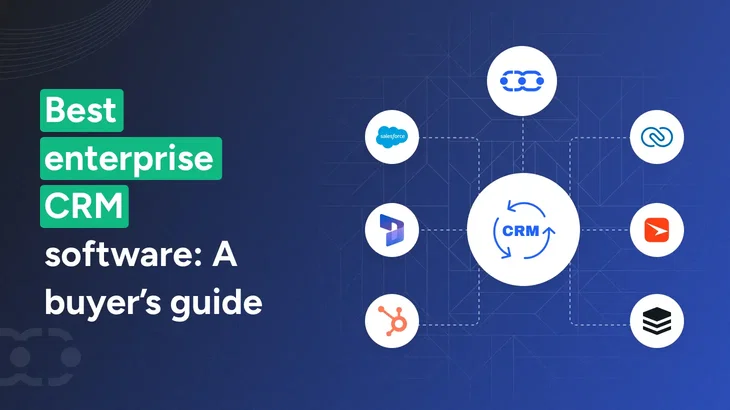
- The 7 best enterprise CRM software in 2026
- When you actually need one
- And how to choose without wasting the budget
What is enterprise CRM?
An enterprise CRM is not just a larger version of an SMB tool. The requirements are fundamentally different.
Enterprise-grade CRM platforms also position themselves as customer service management systems, enabling customer service teams to manage support interactions, tickets, and communication across channels.
The biggest challenge most enterprises face is not a lack of features. It is fragmented data across teams and systems. When CRM data is scattered or inconsistent, teams lose visibility, decisions slow down, and forecasting becomes unreliable.
Large enterprises dominate CRM adoption because they need to unify customer data across sales, marketing automation, and support functions into a single system. Without this, teams operate in silos, decisions are delayed, and customer experience suffers.
This is why modern enterprise CRM is built around creating a single source of truth. It centralizes all customer interactions, including emails, calls, chats, and meetings, into a single timeline that every team can access.
Key CRM features required for enterprise teams include:
- Scalability at volume: The system should handle millions of records, thousands of users, and complex pipelines without performance issues.
- Deep integration capabilities: It must connect with ERP systems, analytics tools, and marketing platforms to enable better reporting and decision-making.
- Governance and compliance: Role-based access, audit trails, data residency, and data security standards such as GDPR or SOC 2 are essential.
- AI on structured data: AI capabilities only deliver value when data is clean and consistent. Poor data leads to poor outcomes.
- Change management support: Enterprise rollout requires onboarding, training, and long-term support beyond basic documentation.
Your CRM shouldn’t slow down enterprise growth
Get one system that handles complexity, aligns teams, and gives you full control over revenue execution.
What's the best CRM for enterprise companies?
The best CRM software for enterprise companies is one that can handle complex workflows, unify customer data across teams, and automate execution at scale.
Platforms like Salesmate, Salesforce, Microsoft Dynamics 365, and HubSpot are widely used, but the right choice depends on how well the system supports your processes, integrations, and team adoption.
Here are the best enterprise crm systems 2026:
- Salesmate – Best enterprise CRM for execution and automation
- Salesforce – Best for large-scale customization and ecosystem
- Microsoft Dynamics 365 Sales – Best for Microsoft-based enterprises
- HubSpot – Best for all-in-one sales and marketing alignment
- Zoho CRM – Best budget-friendly enterprise CRM
- Creatio – Best for no-code workflow automation
- SugarCRM – Best for predictive analytics and data-driven teams
A modern enterprise CRM acts as a unified platform that connects sales reps, customer service teams, and workflows while managing customer interactions across the entire lifecycle.
Let's dive deeper into understanding each.
7 Best enterprise CRM software in 2026 (tested for real-world execution)
We evaluated each enterprise-grade CRM based on how well it performs under real enterprise conditions, not just feature lists or brand popularity.
The focus was on execution, how effectively the platform automates workflows, unifies customer data, and supports cross-team collaboration at scale. We also considered AI capabilities, scalability, ease of adoption, and integration flexibility.
Each tool on this list is proven to handle complex operations while delivering measurable impact in day-to-day use.
1. Salesmate
Salesmate is the best CRM platform for enterprise teams to move faster without the operational complexity of traditional systems.
The platform works as an execution layer, automating workflows, centralizing communication, and helping teams take action in real time. This is especially valuable for enterprise sales where there are long sales cycles, multiple stakeholders, and complex deal structures.
With Skara AI agents, teams can automate lead qualification, follow-ups, and customer interactions without manual effort. It enables sales reps to focus on closing deals instead of managing manual follow-ups and data entry.
Advanced sales pipeline management allows teams to track deals across multiple stages, identify bottlenecks, and forecast revenue more accurately.
It brings sales, marketing, and support together into a unified platform, so teams don’t switch between tools or lose context. This makes Salesmate ideal for growing enterprises that need scalability with high adoption across teams.
Trusted by 8,500+ businesses globally and consistently rated highly across platforms like G2 and Capterra, Salesmate delivers enterprise-grade capability with a focus on usability and results.
Key features
Pricing:
Custom pricing available for enterprise plans
Stop managing CRM. Let it run for you
Automate follow-ups, qualify leads instantly, and move deals forward without manual effort.
2. Salesforce Sales Cloud
Salesforce is an enterprise CRM designed for organizations that need deep customization and scalability, often requiring additional custom development for advanced workflows and integrations.
It unifies sales, service, marketing, commerce, and IT on a single platform, giving teams a shared view of customer data.
The platform allows businesses to build custom workflows, automate processes, and integrate with a large ecosystem of tools. It also includes AI capabilities to support insights and automation.
Also, it connects CRM with enterprise resource planning systems to provide a complete view of operations and customer data.
Salesforce is widely adopted by large enterprises and is recognized as the world’s #1 CRM platform.
Key features
- Customizable workflows and architecture
- Large integration ecosystem
- AI-powered insights (Einstein)
- Advanced analytics and forecasting
- Multi-cloud platform
Pricing
Custom pricing based on enterprise requirements
Enterprise CRM vs CRM: What’s the difference? The difference between CRM and enterprise CRM lies in scale, complexity, and execution capability. Traditional CRM tools focus on basic contact management, while enterprise CRM systems extend this into unified tracking of client interactions across sales, marketing, and support. |
3. Microsoft Dynamics 365 Sales
Microsoft Dynamics 365 Sales is an enterprise CRM designed for organizations already using the Microsoft ecosystem. It integrates with tools like Outlook, Teams, and Microsoft 365, allowing teams to manage sales workflows within existing systems.
The platform combines sales automation, AI insights through Copilot, and prebuilt sales agents to improve productivity and decision-making. It supports complex workflows, enterprise security, and large-scale operations.
Microsoft is recognized as a Leader in the Gartner Magic Quadrant for Sales Force Automation, making it a strong choice for enterprises focused on integration and data-driven execution.
Key features
- Native integration with the Microsoft ecosystem
- AI Copilot and sales agents
- Sales automation and pipeline management
- Advanced forecasting and reporting
- Enterprise-grade security and compliance
Pricing
Starts at $65/user/month; enterprise plans available
4. HubSpot
HubSpot is an enterprise CRM designed to unify sales, marketing, and customer service software capabilities in one platform.
It centralizes customer data, automates workflows across the entire customer journey, and enables teams to work from a single system.
The platform focuses on usability, allowing teams to adopt and scale quickly without heavy technical setup. It includes AI capabilities for lead scoring, automation, and insights.
It is particularly strong for teams that rely heavily on marketing automation to manage campaigns, nurture leads, and align sales and marketing efforts. It also supports advanced campaign management, helping teams plan, execute, and track marketing campaigns across channels.
HubSpot is used by over 278,000 customers across 135+ countries, making it a strong choice for enterprises that want alignment and fast time-to-value.
Key features
- Unified sales, marketing, and service platform
- Automation across the customer journey
- AI-powered lead scoring and insights
- Centralized customer data
- Large integration ecosystem
Pricing
Custom pricing for enterprise plans
How is AI changing enterprise CRM? AI (Artificial Intelligence) is transforming enterprise CRM through AI agents that can automate tasks, guide decisions, and execute workflows in real time. These insights are often based on analyzing customer behavior, helping teams understand patterns, preferences, and buying signals. It helps with tasks like summarizing interactions, suggesting next actions, improving forecasting, and automating repetitive work. The focus is shifting toward AI that supports real workflows, not just insights.. |
5. Zoho CRM
Zoho CRM is an enterprise CRM designed for organizations that need flexibility, scalability, and cost efficiency. It helps businesses manage large volumes of customer data, automate workflows, and unify operations across departments.
The platform supports customization across modules, processes, and integrations, making it adaptable to different industries and business models. It also includes AI capabilities and multichannel communication tools to improve execution.
Zoho has been consistently recognized in Gartner Magic Quadrant reports, making it a reliable choice for enterprises focused on value and scalability.
Key features
- Workflow automation and lead management
- Multichannel communication
- AI-powered insights
- Custom modules and processes
- Strong integration ecosystem
Pricing
Custom pricing for enterprise plans
6. Creatio
Creatio is an enterprise CRM built for organizations that want to automate complex workflows without heavy development or expensive custom development. It combines CRM capabilities with a no-code platform, allowing teams to design processes, build applications, and automate operations using visual tools.
The platform focuses on workflow execution across sales, marketing, and service, making it suitable for enterprises with evolving processes. It also supports AI-driven automation and agent-based workflows.
Creatio is recognized as a Leader and Visionary in multiple Gartner and Forrester reports and is used by thousands of organizations to automate millions of workflows globally.
Key features
- No-code workflow and process builder
- End-to-end process automation
- Sales, marketing, and service modules
- AI-driven automation capabilities
- Customizable workflows and applications
Pricing
Custom pricing for enterprise plans
7. SugarCRM
SugarCRM (now SugarAI) is an enterprise CRM built to guide sales teams on what to do next, not just track data. It focuses on “precision selling” by highlighting the most important accounts, risks, and actions in real time.
The platform connects CRM and ERP data to provide context, helping teams prioritize deals and improve outcomes. It includes AI-driven insights to identify risks, opportunities, and next steps.
SugarCRM is used by 4,000+ companies across 120+ countries, making it a strong choice for enterprises focused on data-driven execution and sales performance.
Key features
- AI-driven predictive insights
- Guided selling and prioritization
- Pipeline and deal risk tracking
- CRM and ERP data integration
- Context-driven sales recommendations
Pricing
Custom pricing based on enterprise requirements
Explore: 14 Top AI CRM use cases where intelligence meets CRM!.
When an enterprise CRM is the right fit for you?
You should consider an enterprise CRM when your current system starts limiting how your teams work, not just what data they store.
This becomes critical when your business starts handling complex business processes such as multi-step deals, cross-team approvals, and large-scale operations.
You need an enterprise CRM if:
- Multiple teams work on the same customer accounts
- Sales, marketing, and support data are disconnected
- Workflows rely on manual sales follow-ups or spreadsheets
- Reporting is inconsistent or not trusted by leadership
- Managing roles, permissions, and data access is difficult
- Your team is scaling, but systems are not keeping up
- You want to use CRM with AI, but your data foundation is weak
You may not need a CRM tool yet if:
- Your sales process is simple and linear
- Your team is small and tightly aligned
- You are not using automation or complex workflows
- Adoption of your current CRM is already low
If your CRM slows down execution instead of enabling it, it is time to upgrade.
See exactly how this fits your business
We’ll map your workflows, show real use cases, and prove how it works before you commit.
Top reasons companies adopt an enterprise CRM system
When adopting the best enterprise CRM software, organizations can expect several primary business outcomes:
- Improved customer satisfaction and loyalty through better management of customer data and interactions.
- Enhanced cross-team visibility, enabling seamless collaboration between marketing, sales, and support teams.
- Streamlined process automation, reducing manual work and minimizing errors.
- Revenue growth, as enterprise CRM systems provide advanced sales forecasting, analytics, automation, and customer management tools that support and drive increased revenue.
- Sales efficiency, with features and AI integrations that help streamline sales processes, automate routine tasks, and improve overall team productivity for better revenue generation.
- Centralized document management, ensuring contracts, proposals, and files are accessible across teams without duplication.
Enterprise CRM systems help organizations build strong customer relationships and revenue by leveraging analytics and customer tracking features to deliver personalized experiences and improve customer engagement.
Additionally, enterprise-grade CRM solutions enhance productivity by automating multiple routine tasks, improving team productivity, and coordinating across departments.
What to look for in enterprise CRM solutions
The best enterprise CRM platforms go beyond tracking and actively support sales process automation, helping teams move deals forward without manual effort.
Choosing an enterprise customer relationship management system is about whether the system can support how your business actually runs.
Many enterprise software projects fail not because of the tool, but because requirements are unclear and teams are not aligned from the start. Defining what your business actually needs before choosing a CRM can prevent costly mistakes later.
Here are quick questions to answer for a strategic buying decision:
1. Can it handle your scale without breaking?
Ask for proof, not promises. Check how the CRM performs with large datasets, multiple sales pipelines, and high user activity. If dashboards lag or workflows slow down during demos, it will get worse in production.
2. Will it fit into your existing systems?
Your CRM should integrate seamlessly with enterprise resource planning (ERP) systems, marketing tools, and internal platforms to avoid data silos and delays.
3. Does it support how your team actually works?
Map one real sales process before buying. If the CRM cannot handle approvals, multi-step deals, or cross-team handoffs without workarounds, adoption will drop.
4. Can you trust the customer data inside it?
Check how the system handles duplicates, validation, and structure. If your team has to manually maintain data quality, reporting, and forecasting will quickly become unreliable.
5. Does it reduce work or just organize it?
A good enterprise CRM should automate follow-ups, assignments, and updates. If your team still spends time on manual entry and coordination, the system is not solving the real problem.
What are enterprise CRM implementation best practices? Here are the best practices to follow for enterprise CRM implementation: - Start with data cleanup and process mapping
- Roll out in phases instead of full deployment
- Align teams early across sales, marketing, and IT
- Train users on real workflows, not features
- Track adoption and usage metrics post-launch
|
How to choose the right enterprise customer relationship management quickly
Most CRM evaluations slow down because teams try to compare every feature and vendor. The better approach is to focus on a few decisions that directly impact implementation, cost, and adoption.
When selecting an enterprise CRM, focus on these core decision factors:
- Align with your existing tech stack: Choose a CRM that integrates easily with your current systems. Microsoft-heavy teams should evaluate Dynamics, while mixed environments should prioritize flexibility.
- Decide between custom CRM scope and simplicity: Complex workflows require flexible platforms, but simpler systems often drive faster execution and higher adoption.
- Evaluate the true cost of ownership: Go beyond license pricing. Include implementation, training, admin effort, and ongoing integration and maintenance.
- Prioritize team adoption: A CRM only works if your team uses it. Simpler, intuitive systems often deliver better ROI than complex ones.
Enterprise CRM decisions are not about picking the tool with the most features. They are about choosing a system your team can adopt, scale, and rely on for daily execution without friction.
Interesting read: AI agents vs automation: How sales leaders should decide.
Conclusion
Enterprise CRM is a core part of business operations. It is the operational layer that connects teams, workflows, and customer data into one system.
The value is not in storing information, but in helping teams act faster, make better decisions, and execute consistently at scale.
The best enterprise CRM should do three things well:
- Create a single source of truth for customer data
- Automate repeatable processes across teams
- Support real work without adding complexity
If your CRM cannot do this, it is not helping you scale. It is slowing you down.
CRM is moving from passive tracking to active execution with automation and AI. The platforms that win are the ones that help teams work better every day, not just report on past activity.
The ultimate goal of an enterprise CRM is not just efficiency, but to improve customer relationships at scale. Choose based on how your business operates, not how the product is marketed.
Frequently asked questions
1. What is enterprise CRM software?
Enterprise CRM software is a customer relationship management system designed for organizations with complex operations, large teams, and multiple workflows. It helps manage customer data, automate processes, and align sales, marketing, and support teams within a single platform.
2. What are the best enterprise CRM software options in 2026?
The best enterprise CRM software depends on your business needs. Popular options include Salesmate, Salesforce, Microsoft Dynamics 365, HubSpot, Zoho CRM, Creatio, and SugarCRM. Each platform differs in usability, customization, automation, and ecosystem strength.
3. What are the best sales intelligence tools for enterprise CRM?
The best sales intelligence tools for enterprise CRM are those that combine accurate data with workflow execution, not just contact enrichment.
Platforms like ZoomInfo and Cognism provide deep data coverage, while tools like LinkedIn Sales Navigator help with targeting. However, the real value comes when this data is integrated into your CRM and used in daily workflows.
4. What are the best enterprise CRM platforms for large teams?
The best enterprise CRM platforms for large teams are those that can handle complexity without slowing down execution.
Salesforce and Microsoft Dynamics 365 are strong choices for large-scale customization and enterprise ecosystems. HubSpot works well for teams that want alignment across marketing and sales.
Salesmate stands out for teams that need fast adoption, workflow automation, and execution at scale, especially when managing long sales cycles and cross-functional collaboration.
5. Which enterprise CRM offers the strongest analytics and reporting?
The best enterprise CRM with strong analytics is one that delivers real-time, actionable insights, not just dashboards.
Salesforce and Microsoft Dynamics 365 offer advanced analytics and forecasting capabilities, especially for large data environments. Tools like Zoho CRM and HubSpot also provide strong reporting with easier usability.
However, analytics only work when data is clean and consistently used. Platforms like Salesmate combine structured data, automation, and AI-driven insights to help teams move from reporting to execution.
6. When should a company upgrade to an enterprise CRM?
A company should upgrade when its current CRM cannot handle growing complexity. Common signs include disconnected data, manual workflows, unreliable reporting, low adoption, and difficulty managing multiple teams or processes.
7. Is enterprise-grade CRM only for large companies?
No. Enterprise CRM is for businesses with complex operations, not just large size. Mid-sized companies with multiple teams, products, or regions may need enterprise CRM capabilities earlier than expected.





Key takeaways
Most enterprise CRM guides focus on features. But enterprise CRM failures rarely happen because of missing features.
They happen because systems cannot handle complexity, data is fragmented, and teams cannot execute consistently.
According to Grand View Research, nearly 80% of enterprise companies rely on CRM for sales reporting and process automation, yet many still struggle to translate insights into action.
A true enterprise CRM is not just a system of record. It is a system of execution that connects data, workflows, supports enterprise workflow automation, and customer-facing operations in real time.
This guide breaks down:
What is enterprise CRM?
An enterprise CRM is not just a larger version of an SMB tool. The requirements are fundamentally different.
Enterprise-grade CRM platforms also position themselves as customer service management systems, enabling customer service teams to manage support interactions, tickets, and communication across channels.
The biggest challenge most enterprises face is not a lack of features. It is fragmented data across teams and systems. When CRM data is scattered or inconsistent, teams lose visibility, decisions slow down, and forecasting becomes unreliable.
Large enterprises dominate CRM adoption because they need to unify customer data across sales, marketing automation, and support functions into a single system. Without this, teams operate in silos, decisions are delayed, and customer experience suffers.
This is why modern enterprise CRM is built around creating a single source of truth. It centralizes all customer interactions, including emails, calls, chats, and meetings, into a single timeline that every team can access.
Key CRM features required for enterprise teams include:
Your CRM shouldn’t slow down enterprise growth
Get one system that handles complexity, aligns teams, and gives you full control over revenue execution.
What's the best CRM for enterprise companies?
The best CRM software for enterprise companies is one that can handle complex workflows, unify customer data across teams, and automate execution at scale.
Platforms like Salesmate, Salesforce, Microsoft Dynamics 365, and HubSpot are widely used, but the right choice depends on how well the system supports your processes, integrations, and team adoption.
Here are the best enterprise crm systems 2026:
A modern enterprise CRM acts as a unified platform that connects sales reps, customer service teams, and workflows while managing customer interactions across the entire lifecycle.
Let's dive deeper into understanding each.
7 Best enterprise CRM software in 2026 (tested for real-world execution)
We evaluated each enterprise-grade CRM based on how well it performs under real enterprise conditions, not just feature lists or brand popularity.
The focus was on execution, how effectively the platform automates workflows, unifies customer data, and supports cross-team collaboration at scale. We also considered AI capabilities, scalability, ease of adoption, and integration flexibility.
Each tool on this list is proven to handle complex operations while delivering measurable impact in day-to-day use.
1. Salesmate
Salesmate is the best CRM platform for enterprise teams to move faster without the operational complexity of traditional systems.
The platform works as an execution layer, automating workflows, centralizing communication, and helping teams take action in real time. This is especially valuable for enterprise sales where there are long sales cycles, multiple stakeholders, and complex deal structures.
With Skara AI agents, teams can automate lead qualification, follow-ups, and customer interactions without manual effort. It enables sales reps to focus on closing deals instead of managing manual follow-ups and data entry.
Advanced sales pipeline management allows teams to track deals across multiple stages, identify bottlenecks, and forecast revenue more accurately.
It brings sales, marketing, and support together into a unified platform, so teams don’t switch between tools or lose context. This makes Salesmate ideal for growing enterprises that need scalability with high adoption across teams.
Trusted by 8,500+ businesses globally and consistently rated highly across platforms like G2 and Capterra, Salesmate delivers enterprise-grade capability with a focus on usability and results.
Key features
Pricing:
Custom pricing available for enterprise plans
Stop managing CRM. Let it run for you
Automate follow-ups, qualify leads instantly, and move deals forward without manual effort.
2. Salesforce Sales Cloud
Salesforce is an enterprise CRM designed for organizations that need deep customization and scalability, often requiring additional custom development for advanced workflows and integrations.
It unifies sales, service, marketing, commerce, and IT on a single platform, giving teams a shared view of customer data.
The platform allows businesses to build custom workflows, automate processes, and integrate with a large ecosystem of tools. It also includes AI capabilities to support insights and automation.
Also, it connects CRM with enterprise resource planning systems to provide a complete view of operations and customer data.
Salesforce is widely adopted by large enterprises and is recognized as the world’s #1 CRM platform.
Key features
Pricing
Custom pricing based on enterprise requirements
Enterprise CRM vs CRM: What’s the difference?
The difference between CRM and enterprise CRM lies in scale, complexity, and execution capability. Traditional CRM tools focus on basic contact management, while enterprise CRM systems extend this into unified tracking of client interactions across sales, marketing, and support.
3. Microsoft Dynamics 365 Sales
Microsoft Dynamics 365 Sales is an enterprise CRM designed for organizations already using the Microsoft ecosystem. It integrates with tools like Outlook, Teams, and Microsoft 365, allowing teams to manage sales workflows within existing systems.
The platform combines sales automation, AI insights through Copilot, and prebuilt sales agents to improve productivity and decision-making. It supports complex workflows, enterprise security, and large-scale operations.
Microsoft is recognized as a Leader in the Gartner Magic Quadrant for Sales Force Automation, making it a strong choice for enterprises focused on integration and data-driven execution.
Key features
Pricing
Starts at $65/user/month; enterprise plans available
4. HubSpot
HubSpot is an enterprise CRM designed to unify sales, marketing, and customer service software capabilities in one platform.
It centralizes customer data, automates workflows across the entire customer journey, and enables teams to work from a single system.
The platform focuses on usability, allowing teams to adopt and scale quickly without heavy technical setup. It includes AI capabilities for lead scoring, automation, and insights.
It is particularly strong for teams that rely heavily on marketing automation to manage campaigns, nurture leads, and align sales and marketing efforts. It also supports advanced campaign management, helping teams plan, execute, and track marketing campaigns across channels.
HubSpot is used by over 278,000 customers across 135+ countries, making it a strong choice for enterprises that want alignment and fast time-to-value.
Key features
Pricing
Custom pricing for enterprise plans
How is AI changing enterprise CRM?
AI (Artificial Intelligence) is transforming enterprise CRM through AI agents that can automate tasks, guide decisions, and execute workflows in real time. These insights are often based on analyzing customer behavior, helping teams understand patterns, preferences, and buying signals.
It helps with tasks like summarizing interactions, suggesting next actions, improving forecasting, and automating repetitive work. The focus is shifting toward AI that supports real workflows, not just insights..
5. Zoho CRM
Zoho CRM is an enterprise CRM designed for organizations that need flexibility, scalability, and cost efficiency. It helps businesses manage large volumes of customer data, automate workflows, and unify operations across departments.
The platform supports customization across modules, processes, and integrations, making it adaptable to different industries and business models. It also includes AI capabilities and multichannel communication tools to improve execution.
Zoho has been consistently recognized in Gartner Magic Quadrant reports, making it a reliable choice for enterprises focused on value and scalability.
Key features
Pricing
Custom pricing for enterprise plans
6. Creatio
Creatio is an enterprise CRM built for organizations that want to automate complex workflows without heavy development or expensive custom development. It combines CRM capabilities with a no-code platform, allowing teams to design processes, build applications, and automate operations using visual tools.
The platform focuses on workflow execution across sales, marketing, and service, making it suitable for enterprises with evolving processes. It also supports AI-driven automation and agent-based workflows.
Creatio is recognized as a Leader and Visionary in multiple Gartner and Forrester reports and is used by thousands of organizations to automate millions of workflows globally.
Key features
Pricing
Custom pricing for enterprise plans
7. SugarCRM
SugarCRM (now SugarAI) is an enterprise CRM built to guide sales teams on what to do next, not just track data. It focuses on “precision selling” by highlighting the most important accounts, risks, and actions in real time.
The platform connects CRM and ERP data to provide context, helping teams prioritize deals and improve outcomes. It includes AI-driven insights to identify risks, opportunities, and next steps.
SugarCRM is used by 4,000+ companies across 120+ countries, making it a strong choice for enterprises focused on data-driven execution and sales performance.
Key features
Pricing
Custom pricing based on enterprise requirements
When an enterprise CRM is the right fit for you?
You should consider an enterprise CRM when your current system starts limiting how your teams work, not just what data they store.
This becomes critical when your business starts handling complex business processes such as multi-step deals, cross-team approvals, and large-scale operations.
You need an enterprise CRM if:
You may not need a CRM tool yet if:
If your CRM slows down execution instead of enabling it, it is time to upgrade.
See exactly how this fits your business
We’ll map your workflows, show real use cases, and prove how it works before you commit.
Top reasons companies adopt an enterprise CRM system
When adopting the best enterprise CRM software, organizations can expect several primary business outcomes:
Enterprise CRM systems help organizations build strong customer relationships and revenue by leveraging analytics and customer tracking features to deliver personalized experiences and improve customer engagement.
Additionally, enterprise-grade CRM solutions enhance productivity by automating multiple routine tasks, improving team productivity, and coordinating across departments.
What to look for in enterprise CRM solutions
The best enterprise CRM platforms go beyond tracking and actively support sales process automation, helping teams move deals forward without manual effort.
Choosing an enterprise customer relationship management system is about whether the system can support how your business actually runs.
Many enterprise software projects fail not because of the tool, but because requirements are unclear and teams are not aligned from the start. Defining what your business actually needs before choosing a CRM can prevent costly mistakes later.
Here are quick questions to answer for a strategic buying decision:
1. Can it handle your scale without breaking?
Ask for proof, not promises. Check how the CRM performs with large datasets, multiple sales pipelines, and high user activity. If dashboards lag or workflows slow down during demos, it will get worse in production.
2. Will it fit into your existing systems?
Your CRM should integrate seamlessly with enterprise resource planning (ERP) systems, marketing tools, and internal platforms to avoid data silos and delays.
3. Does it support how your team actually works?
Map one real sales process before buying. If the CRM cannot handle approvals, multi-step deals, or cross-team handoffs without workarounds, adoption will drop.
4. Can you trust the customer data inside it?
Check how the system handles duplicates, validation, and structure. If your team has to manually maintain data quality, reporting, and forecasting will quickly become unreliable.
5. Does it reduce work or just organize it?
A good enterprise CRM should automate follow-ups, assignments, and updates. If your team still spends time on manual entry and coordination, the system is not solving the real problem.
What are enterprise CRM implementation best practices?
Here are the best practices to follow for enterprise CRM implementation:
How to choose the right enterprise customer relationship management quickly
Most CRM evaluations slow down because teams try to compare every feature and vendor. The better approach is to focus on a few decisions that directly impact implementation, cost, and adoption.
When selecting an enterprise CRM, focus on these core decision factors:
Enterprise CRM decisions are not about picking the tool with the most features. They are about choosing a system your team can adopt, scale, and rely on for daily execution without friction.
Conclusion
Enterprise CRM is a core part of business operations. It is the operational layer that connects teams, workflows, and customer data into one system.
The value is not in storing information, but in helping teams act faster, make better decisions, and execute consistently at scale.
The best enterprise CRM should do three things well:
If your CRM cannot do this, it is not helping you scale. It is slowing you down.
CRM is moving from passive tracking to active execution with automation and AI. The platforms that win are the ones that help teams work better every day, not just report on past activity.
The ultimate goal of an enterprise CRM is not just efficiency, but to improve customer relationships at scale. Choose based on how your business operates, not how the product is marketed.
Frequently asked questions
1. What is enterprise CRM software?
Enterprise CRM software is a customer relationship management system designed for organizations with complex operations, large teams, and multiple workflows. It helps manage customer data, automate processes, and align sales, marketing, and support teams within a single platform.
2. What are the best enterprise CRM software options in 2026?
The best enterprise CRM software depends on your business needs. Popular options include Salesmate, Salesforce, Microsoft Dynamics 365, HubSpot, Zoho CRM, Creatio, and SugarCRM. Each platform differs in usability, customization, automation, and ecosystem strength.
3. What are the best sales intelligence tools for enterprise CRM?
The best sales intelligence tools for enterprise CRM are those that combine accurate data with workflow execution, not just contact enrichment.
Platforms like ZoomInfo and Cognism provide deep data coverage, while tools like LinkedIn Sales Navigator help with targeting. However, the real value comes when this data is integrated into your CRM and used in daily workflows.
4. What are the best enterprise CRM platforms for large teams?
The best enterprise CRM platforms for large teams are those that can handle complexity without slowing down execution.
Salesforce and Microsoft Dynamics 365 are strong choices for large-scale customization and enterprise ecosystems. HubSpot works well for teams that want alignment across marketing and sales.
Salesmate stands out for teams that need fast adoption, workflow automation, and execution at scale, especially when managing long sales cycles and cross-functional collaboration.
5. Which enterprise CRM offers the strongest analytics and reporting?
The best enterprise CRM with strong analytics is one that delivers real-time, actionable insights, not just dashboards.
Salesforce and Microsoft Dynamics 365 offer advanced analytics and forecasting capabilities, especially for large data environments. Tools like Zoho CRM and HubSpot also provide strong reporting with easier usability.
However, analytics only work when data is clean and consistently used. Platforms like Salesmate combine structured data, automation, and AI-driven insights to help teams move from reporting to execution.
6. When should a company upgrade to an enterprise CRM?
A company should upgrade when its current CRM cannot handle growing complexity. Common signs include disconnected data, manual workflows, unreliable reporting, low adoption, and difficulty managing multiple teams or processes.
7. Is enterprise-grade CRM only for large companies?
No. Enterprise CRM is for businesses with complex operations, not just large size. Mid-sized companies with multiple teams, products, or regions may need enterprise CRM capabilities earlier than expected.
Sonali Negi
Content WriterSonali is a writer born out of her utmost passion for writing. She is working with a passionate team of content creators at Salesmate. She enjoys learning about new ideas in marketing and sales. She is an optimistic girl and endeavors to bring the best out of every situation. In her free time, she loves to introspect and observe people.